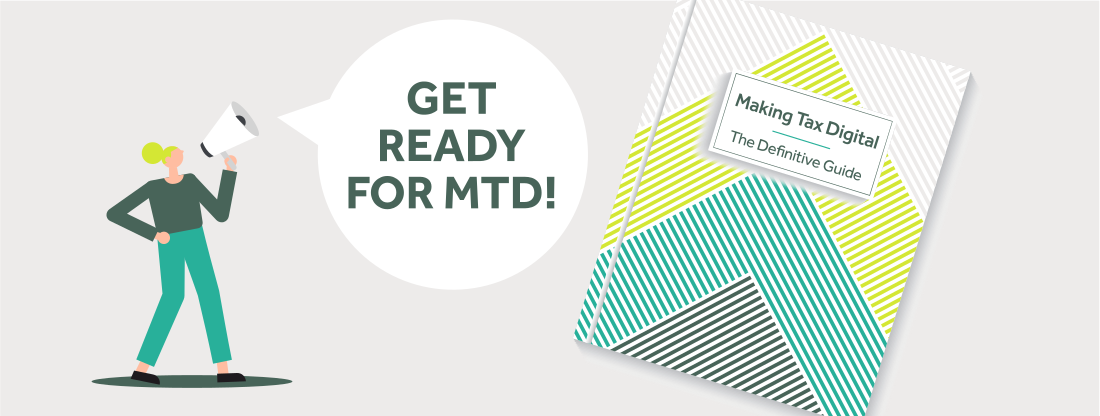
Making Tax Digital: The Definitive Guide for UK Businesses and Landlords
Making Tax Digital (MTD) is the cornerstone of HMRC’s plan to modernise the UK tax system. By replacing annual paper returns and manual record-keeping with real-time digital reporting, MTD fundamentally changes how businesses, sole traders, and landlords manage their tax compliance.
Whether you are already complying with MTD for VAT or preparing for MTD for Income Tax, this definitive guide outlines everything you need to know to stay fully compliant with HMRC.
What is Making Tax Digital?
Making Tax Digital is HMRC’s initiative requiring UK taxpayers to keep digital accounting records and submit tax updates using MTD-compliant online accounting software.
The system eliminates traditional paper-based record-keeping and manual tax return entries. Instead, business transactions are recorded digitally, and tax updates are sent directly to HMRC through secure digital software connections (APIs).
While MTD was designed by HMRC to reduce calculation errors and close the “tax gap” caused by missed tax entries, it also gives business owners a live, accurate view of their financial health, profitability, and tax liabilities throughout the year.

Who is affected by Making Tax Digital?
MTD applies across two main tax categories: VAT and Income Tax.
1. Making Tax Digital for VAT (Currently Mandatory)
If your business is VAT-registered—regardless of whether your turnover is above or below the statutory VAT registration threshold—you must keep digital records and submit all VAT returns using MTD-compatible software.
2. Making Tax Digital for Income Tax (MTD for ITSA)
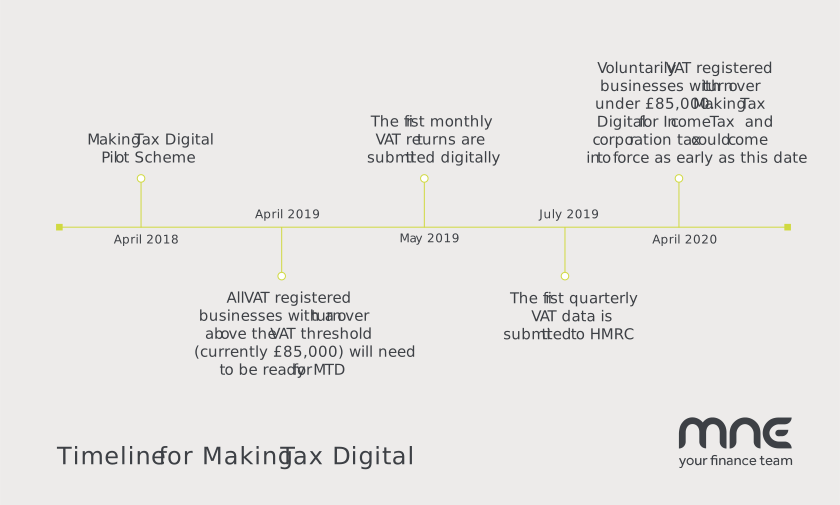
MTD for Income Tax applies to self-employed sole traders and residential landlords. Your requirement to join depends on your total annual gross qualifying income (turnover before expenses from combined self-employment and property):
| Qualifying Gross Income | Mandatory MTD Start Date | Required Action |
|---|---|---|
| Over £50,000 | 6 April 2026 | Digital records + 4 quarterly updates + Final Declaration. |
| Over £30,000 | 6 April 2027 | Digital records + 4 quarterly updates + Final Declaration. |
| Over £20,000 | 6 April 2028 | Digital records + 4 quarterly updates + Final Declaration. |
Note: If your qualifying gross income from self-employment or property is below £20,000, you remain on the traditional annual Self Assessment tax return system unless you choose to opt in voluntarily.
Who is exempt from Making Tax Digital?
You may be exempt from MTD requirements if HMRC approves an application for Digital Exclusion. Exemptions apply if:
- Your religious beliefs prevent you from using computers or electronic communications.
- It is not reasonably practical for you to use digital tools due to age, disability, or a remote location without internet access.
- You run specific exempt care activities (such as qualifying foster care).
If you believe you qualify for digital exclusion, you must formally apply to HMRC for approval.
What is changing? The “Digital Link” requirement
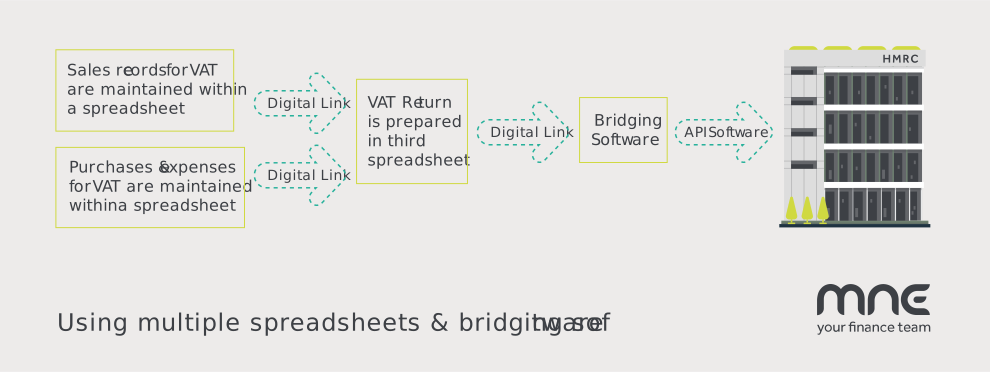
Under MTD rules, manual data transfers—such as rekeying figures, copying and pasting data between spreadsheets, or typing paper totals into HMRC online forms—are strictly prohibited.
HMRC requires an unbroken “Digital Link” across your entire accounting trail.
HMRC Definition of a Digital Link: Data transfers between different software components or spreadsheets must take place electronically (e.g. via automated API integrations, CSV file uploads, or linked formulas). Manual adjustments or retyping figures invalidates MTD compliance.
Can I still use spreadsheets for Making Tax Digital?
Yes, but with strict conditions.
If you prefer using spreadsheets, you must link your spreadsheet directly to HMRC using specialised Bridging Software. Bridging software extracts summaries digitally from your spreadsheet and transmits the figures to HMRC via an API connection.
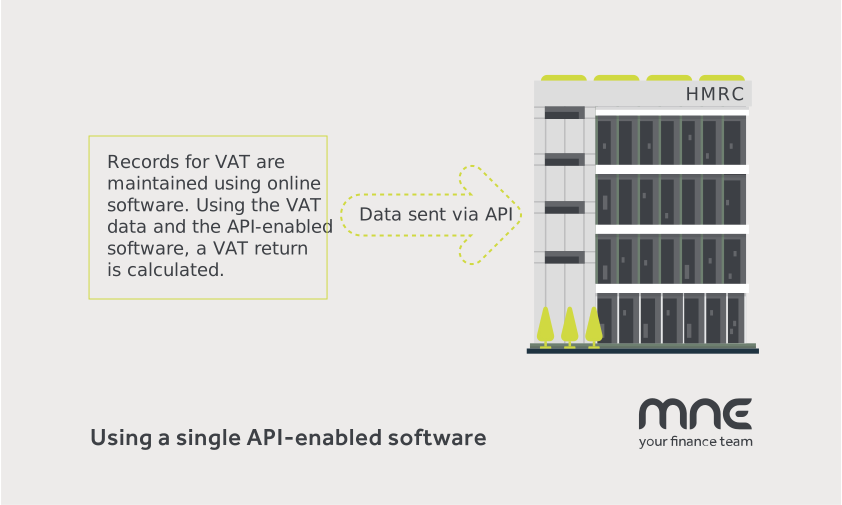
While spreadsheets are legally permitted via bridging software, maintaining multiple sheets with digital links can be cumbersome. Moving directly to dedicated, HMRC-approved cloud accounting software is the most efficient long-term solution.
What software can you use for Making Tax Digital?
HMRC requires taxpayers to use software that connects directly to their digital platform. Leading cloud accounting platforms fully recognised for MTD include:
- Xero: Ideal for small-to-medium businesses, sole traders, and landlords needing bank feeds and automated tax reporting.
- QuickBooks Online: Features automated expense tracking, mileage tools, and quarterly MTD updates.
- FreeAgent: Tailored for freelancers and contractors with integrated MTD reporting tools.
- Sage: Scalable compliance software suited for growing companies with complex stock or payroll setup.
How MNE Accounting helps you become MTD-ready
Navigating digital tax transitions doesn’t have to be stressful. At MNE Accounting, our team of certified business accountants and software specialists will help you:
- Assess your MTD eligibility and setup deadlines.
- Migrate your records smoothly from manual spreadsheets to Xero or QuickBooks.
- Set up digital receipt capture software (such as Dext Prepare or AutoEntry) to capture expenses on your mobile.
- Handle quarterly MTD submissions and year-end Final Declarations accurately on your behalf.
If you have questions about MTD compliance or want help choosing the right setup, get in touch with our team today.
Frequently Asked Questions
How often do I need to send updates under MTD for Income Tax?
Under MTD for ITSA, you (or your accountant) will submit 4 quarterly updates covering your income and allowable expenses, followed by a Final Declaration by 31 January following the tax year.
Is it possible to manage MTD myself without an accountant?
Yes, provided you use HMRC-compatible software and submit accurate records on time. However, partnering with a qualified accountant ensures your allowable expense claims are optimised and protects you against HMRC filing penalties.